Every HOP ride comes with an SOS button that's visible the entire trip. Tap it and a 3-second countdown starts — time to cancel if it was accidental. If not cancelled, three things happen at once: Nassau's 919 emergency services are called, HOP's internal Safety Desk is alerted, and up to two trusted contacts you chose before the ride receive a notification with your live GPS location.
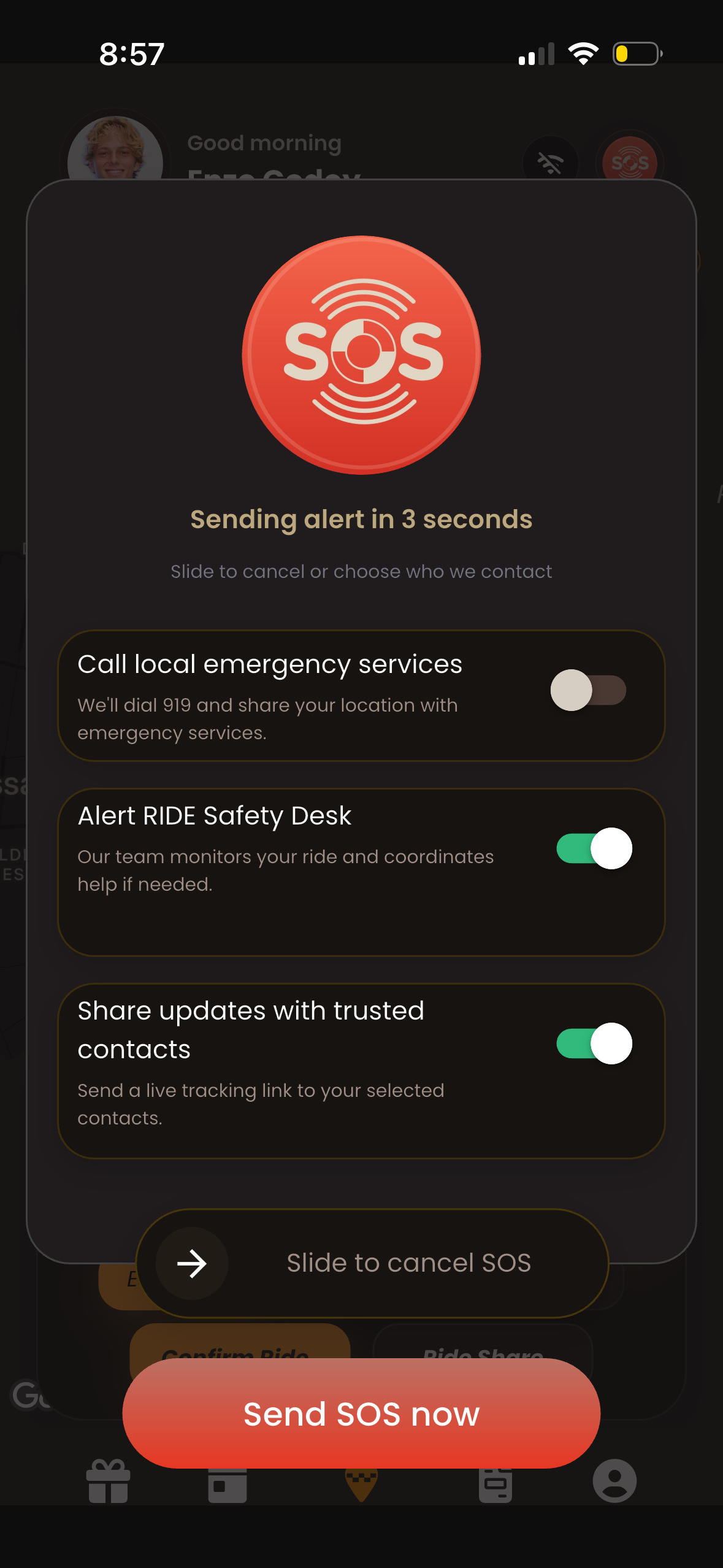
The SOS button is visible throughout your entire ride. One tap starts a 3-second countdown before alerting 919, HOP Safety Desk, and your trusted contacts.
It's not an emergency-only feature in practice. Most solo travelers use the trusted contact system on every ride as a matter of habit — the people back home can see a live map of where you are the entire time. Not because Nassau is dangerous. Because having that option costs nothing and removes a specific kind of travel anxiety.
How to Set Up Trusted Contacts
- Open the HOP app and go to Safety settings
- Add up to 2 trusted contacts — travel partner, family member, whoever makes sense
- They'll receive a live tracking link for every ride you take automatically
- In an SOS event, they're notified immediately with your location
Driver verified, fare fixed, SOS ready. Every ride.
Frequently Asked Questions
How does the HOP SOS button work?
A 3-second countdown prevents accidental triggers. If not cancelled, HOP simultaneously calls Nassau 919, alerts the HOP Safety Desk, and sends your trusted contacts a notification with your live GPS location — all at once, not sequentially.
Do trusted contacts see my location even without an SOS?
Yes. Trusted contacts receive a live tracking link for every ride you take — not just emergencies. Your travel companions or family back home can follow your route in real time the entire journey.
Ready to book? Fixed price. No surprises.
Pre-book your ride before you land. See the fare before you confirm.
Free cancellation · No app required